In a world where convenience is paramount, alarm apps play a crucial role in our daily routines. While many users tend to stick with the default options provided by their devices, there are hidden gems that offer enhanced functionality and user experience. One such app is Chrono, an open-source clock application that has earned a reputation for its superior features compared to the standard alarm apps from major players like Samsung and Google.
Why Choose Chrono Over Default Alarm Apps?
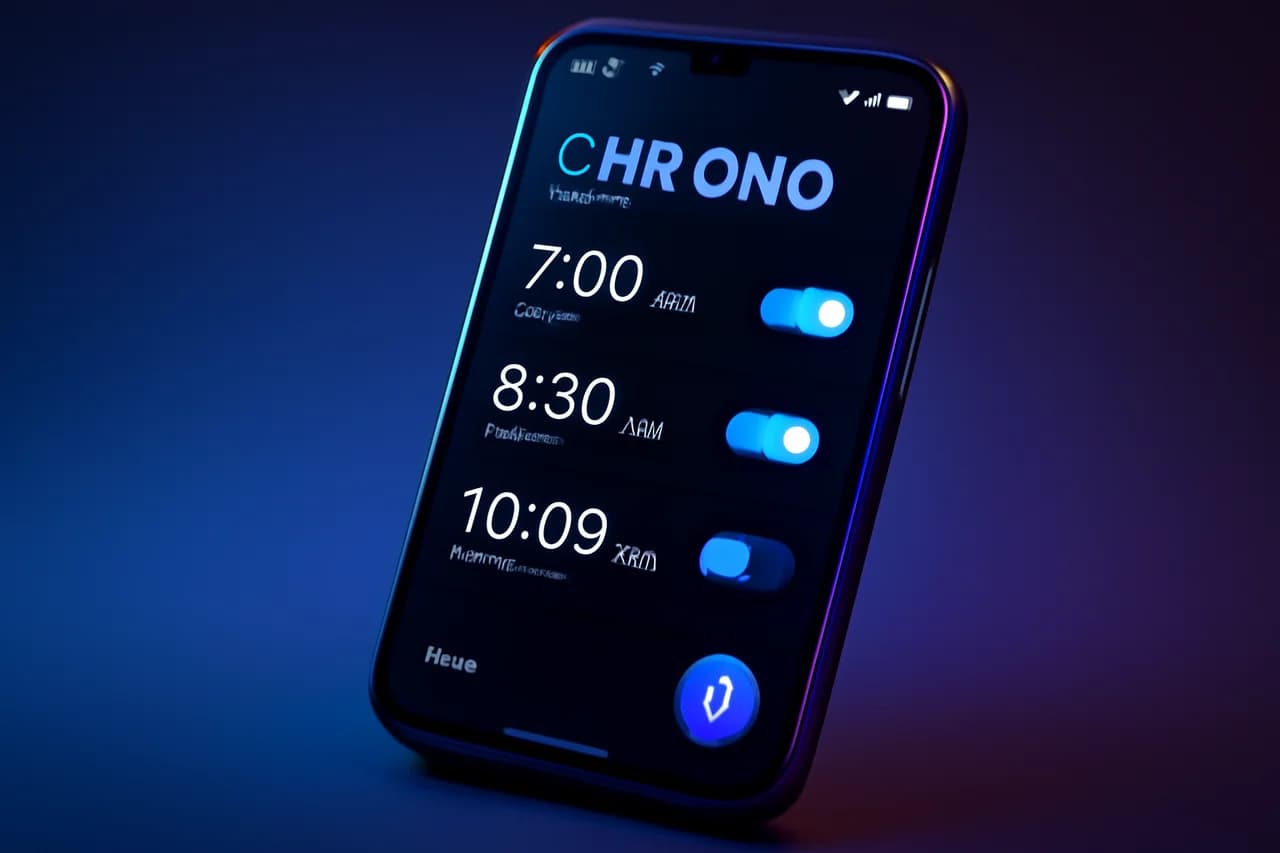
Chrono sets itself apart with a user-friendly interface that simplifies the process of setting alarms. Unlike the default clock apps that can sometimes feel cluttered or overwhelming, Chrono focuses on delivering a clean and intuitive experience. Users can easily navigate through its features, making it accessible for everyone, regardless of their tech-savviness. This is particularly important in a time when users are looking for efficiency and ease of use in their applications.
Moreover, Chrono's design philosophy emphasizes minimalism, allowing users to focus solely on the functionality they need. This contrasts sharply with many default apps that often come packed with unnecessary features that can complicate the user experience. Chrono’s straightforward approach not only enhances usability but also allows users to quickly set and manage their alarms without the frustration often associated with more complex applications.
Key Features of Chrono
Chrono is packed with a variety of useful features that enhance its functionality as an alarm app. Some of the most notable features include:
- Customizable Alarm Settings: Users can tailor their alarms with different tones, snooze options, and repeat settings. This level of customization ensures that users can create an alarm experience that suits their personal preferences and lifestyle.
- No Advertisements: Unlike many free apps, Chrono is ad-free, ensuring a seamless user experience. This is a significant advantage for users who find advertisements disruptive, especially when trying to wake up in the morning.
- Open-Source Nature: Being open-source means that it is constantly updated and improved by a community of developers, ensuring it stays relevant. This community-driven approach not only enhances the app's features but also fosters a sense of trust and reliability among users.
- Cross-Platform Compatibility: Chrono can be used on various platforms, making it versatile for users who switch between devices. This flexibility is particularly beneficial in today's multi-device environment, where users may want to access their alarms from different smartphones or tablets.
Installation Process for Chrono
One of the main reasons Chrono remains under the radar is its absence from the Google Play Store. However, installing it is straightforward for those willing to step outside the conventional app marketplace. Here’s how you can install Chrono on your Android device:
- Visit the official Chrono GitHub page to find the latest release.
- Download the APK file for Chrono.
- Before installing, ensure that your device allows installations from unknown sources by adjusting your security settings. This step is crucial for maintaining device security while still allowing for the installation of third-party applications.
- Locate the downloaded APK file and tap to install it.
- Once installed, open the app and set your alarms!
Community Support and Development
The open-source model of Chrono encourages community involvement, which is a significant advantage. Users can contribute to its development by reporting bugs, suggesting features, or even coding improvements. This collaborative environment ensures that Chrono evolves based on user feedback, making it a reliable choice for those who value software that adapts to their needs. Additionally, the active community often leads to quicker resolutions of issues and the introduction of innovative features that reflect the desires of its user base.
Furthermore, the open-source nature of Chrono allows for transparency in development, giving users insight into how the app is built and maintained. This transparency fosters a sense of ownership among users, as they can see their contributions directly impacting the application's evolution.
Conclusion
While many Android users may be content with the default alarm apps provided by their devices, those seeking a better alternative should definitely consider Chrono. Its user-friendly design, lack of ads, and robust feature set make it a standout choice in the crowded app market. Although it may require a few extra steps to install, the benefits of using Chrono far outweigh the initial effort. For anyone looking to enhance their alarm experience, Chrono is undoubtedly worth the try. In an age where personalization and functionality are key, Chrono delivers an exceptional alarm app experience that caters to the diverse needs of its users.
Key Highlights
- Chrono is an open-source clock app that outperforms default Android alarm apps.
- The app features a user-friendly interface that simplifies alarm management.
- Chrono is ad-free, providing a seamless user experience.
- Users can customize alarms with various settings and tones.
- Installation requires downloading an APK from the official GitHub page.
- Being open-source, Chrono benefits from continuous community-driven improvements.
- Chrono is a versatile app compatible with multiple platforms.
Expert Analysis
Technical Analysis
Chrono is an open-source alarm application designed for Android users, focusing on enhancing the user experience through a minimalist and intuitive interface. Unlike many default alarm apps that can be cluttered and overwhelming, Chrono prioritizes simplicity, allowing users to easily navigate its features. This design philosophy not only streamlines the alarm-setting process but also emphasizes functionality over unnecessary complexity, making it accessible to users of all tech levels.
The application offers customizable alarm settings, including various tones, snooze options, and repeat settings, which cater to individual preferences. Additionally, its ad-free experience enhances usability, particularly for users who find ads disruptive. The open-source nature of Chrono allows for continuous updates and improvements driven by a community of developers, fostering trust and reliability. However, the requirement to install the app from outside the Google Play Store may deter some users, as it involves adjusting security settings to allow installations from unknown sources.
Advantages
- User-friendly interface that simplifies alarm setting.
- Customizable alarm settings to suit personal preferences.
- Ad-free experience for uninterrupted use.
- Open-source nature allows for continuous updates and community-driven improvements.
- Cross-platform compatibility for users with multiple devices.
Disadvantages
- Requires installation from outside the Google Play Store, which may deter less tech-savvy users.
- Adjusting security settings can pose a risk for some users.
Real-World Use Cases
- Individuals looking for a straightforward and efficient way to manage alarms.
- Users who prefer a customizable alarm experience tailored to their lifestyle.
- Tech-savvy users who enjoy contributing to open-source projects and want to influence app development.
- People who switch between devices and need a cross-platform alarm solution.
Business Impact
Chrono's entry into the alarm app market presents a competitive challenge to established players like Samsung and Google. By offering a superior user experience and customizable features, Chrono could capture a niche audience looking for alternatives to default apps. The open-source model also opens up revenue opportunities through potential partnerships or donations from users who appreciate the app's community-driven approach, thus impacting the overall app ecosystem.
User Impact
Ordinary users stand to benefit significantly from Chrono, especially those frustrated with the limitations of default alarm apps. The app's focus on usability and customization makes it a compelling choice for anyone looking to enhance their alarm experience. However, users who are less comfortable with technology may find the installation process challenging, which could limit its adoption among this demographic. Overall, for those willing to invest a little extra effort, Chrono offers a worthwhile alternative.
Security & Privacy
The requirement to adjust security settings for installing Chrono from unknown sources introduces potential vulnerabilities, as users may inadvertently expose their devices to risks. However, the open-source nature of the app allows for transparency in its development, which can enhance trust among users regarding data handling and security practices.
Future Outlook
In the near term, Chrono is likely to continue evolving through community contributions, leading to the introduction of new features and improvements based on user feedback. As more users seek alternatives to default applications, Chrono could gain traction, potentially prompting competitors to enhance their offerings to retain user interest.
Expert Summary
Chrono represents a significant advancement in the alarm app space, particularly for Android users seeking a more personalized and user-friendly experience. Its open-source nature and community-driven development model make it a noteworthy alternative to traditional alarm apps. Developers, tech enthusiasts, and users looking for a superior alarm solution should pay attention to Chrono, as it may redefine user expectations in this category.
Originally reported by Android Authority.