You pull into a parking spot, spot the QR code on the meter, and scan it to pay. It takes ten seconds, and you are back on your way. That convenience is exactly what scammers are counting on. With October marking Cybersecurity Awareness Month, there is no better time to learn how a fake QR code on a parking meter works, and how to avoid it.
How the Parking Meter QR Code Scam Works
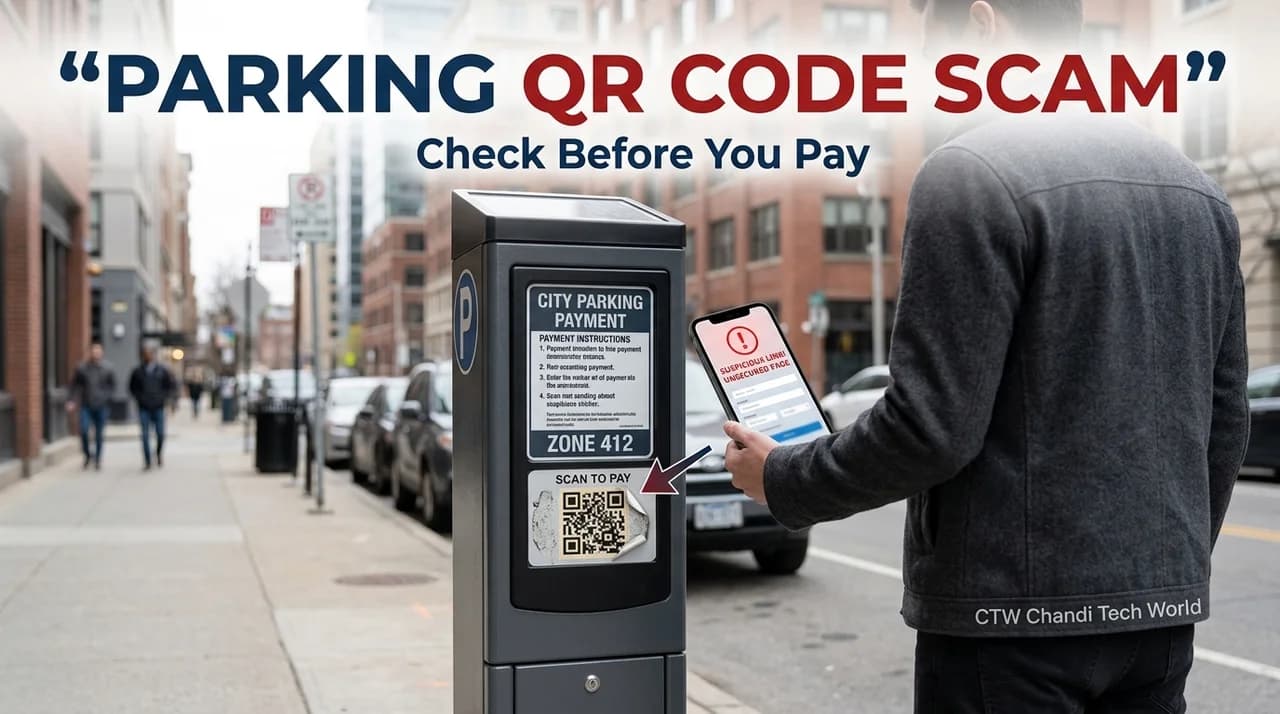
The trick is simple and low-tech. A criminal prints a sticker with their own QR code and places it over the real one on a parking meter, pay station, or sign. The Federal Trade Commission has warned consumers about this exact tactic. When you scan the fake code, your phone opens a website that looks like a legitimate payment page. Anything you type in, including your card number, goes straight to the scammer.
Some fake pages also try to install malicious software or collect personal details such as your name, phone number, and license plate. Because the page looks professional and you are in a hurry, it is easy to miss the warning signs.
Why QR Code Phishing (Quishing) Is So Hard to Spot
Security experts call this style of attack "quishing," short for QR code phishing. Unlike a suspicious text link, a QR code is just a pattern of squares. You cannot read the destination with your eyes, and that is the point.
The problem goes beyond parking lots. In a January 2026 flash alert, the FBI described a North Korean group using QR codes inside spear-phishing emails. Because the malicious link is hidden in an image, it can slip past security tools that only inspect text links. The FBI also noted that these attacks can end with stolen session tokens, which may let attackers bypass multi-factor authentication. Earlier FBI advisories warned about unsolicited packages that arrive with a QR code and no return address, hoping curiosity will win.
Red Flags That a QR Code May Be Fake
- A sticker on top of another sticker. If the code looks pasted on, crooked, or peeling at the edges, treat it as suspicious.
- A web address that does not match. The domain should match the city, parking operator, or app named on the signage. Watch for misspellings and swapped letters.
- Urgency. Messages like "pay now to avoid a fine" are designed to rush you.
- Requests for more than payment. A parking page should not ask for your Social Security number, banking login, or a password.
- An unexpected QR code. Be wary of codes that arrive by text, email, or mail when you were not expecting them.
A 10-Second Safety Check Before You Scan
- Look at the meter. Run your finger lightly over the code. If it feels like a separate sticker, do not scan it.
- Preview the link. Most phone cameras show the web address before opening it. Read it carefully.
- Compare it to the signage. Check the official website or app name printed on the meter or pay station.
- Skip the code if you can. Download the official parking app ahead of time, or type the operator's website address yourself.
- Pay a different way. Many meters still accept cards or coins. When in doubt, use them.
What to Do If You Already Scanned a Fake QR Code
Do not panic. What you do next matters more than the scan itself.
- Close the page and do not enter or submit any information.
- If you entered card details, call your card issuer right away and ask them to freeze or replace the card.
- If you typed a password, change it on every account where you use it, and turn on multi-factor authentication.
- If you downloaded something, update your phone and run a trusted security scan.
- Report it. Submit a report to the FTC at ReportFraud.ftc.gov. If you lost money, also file a complaint with the FBI's Internet Crime Complaint Center (IC3). Letting the local parking authority know helps them remove the fake code.
Simple Habits That Keep You Safer All Year
CISA and the National Cybersecurity Alliance run Cybersecurity Awareness Month each October. Their core advice applies perfectly to QR codes: use strong, unique passwords, turn on multi-factor authentication, recognize and report phishing, and keep your software updated. Keeping your phone's operating system current is especially useful, because updates fix security flaws that malicious pages try to exploit. For more on securing your phone, browse our mobile coverage.
Frequently Asked Questions
Can scanning a QR code alone infect my phone?
Scanning usually just opens a link. The risk comes from what happens next, such as entering payment details on a fake page or downloading a file. Stay cautious about any page that asks you to install something.
Are QR codes safe to use at all?
Yes, when you use them thoughtfully. Treat a QR code like a link: only open it if you trust where it came from, and check where it leads before you act.
Who is most at risk?
Anyone in a hurry. Scammers rely on speed and routine, which is why busy commuters and drivers in unfamiliar cities are common targets.
The Bottom Line
A QR code is only as trustworthy as the place it came from. Take a few seconds to inspect the code, read the web address, and use an official app or the meter's other payment options when something feels off. For more guides like this, explore our cybersecurity section, or see what readers are following right now on our trending page. To read the FBI's quishing alert in more detail, see this report on the January 2026 FBI warning.