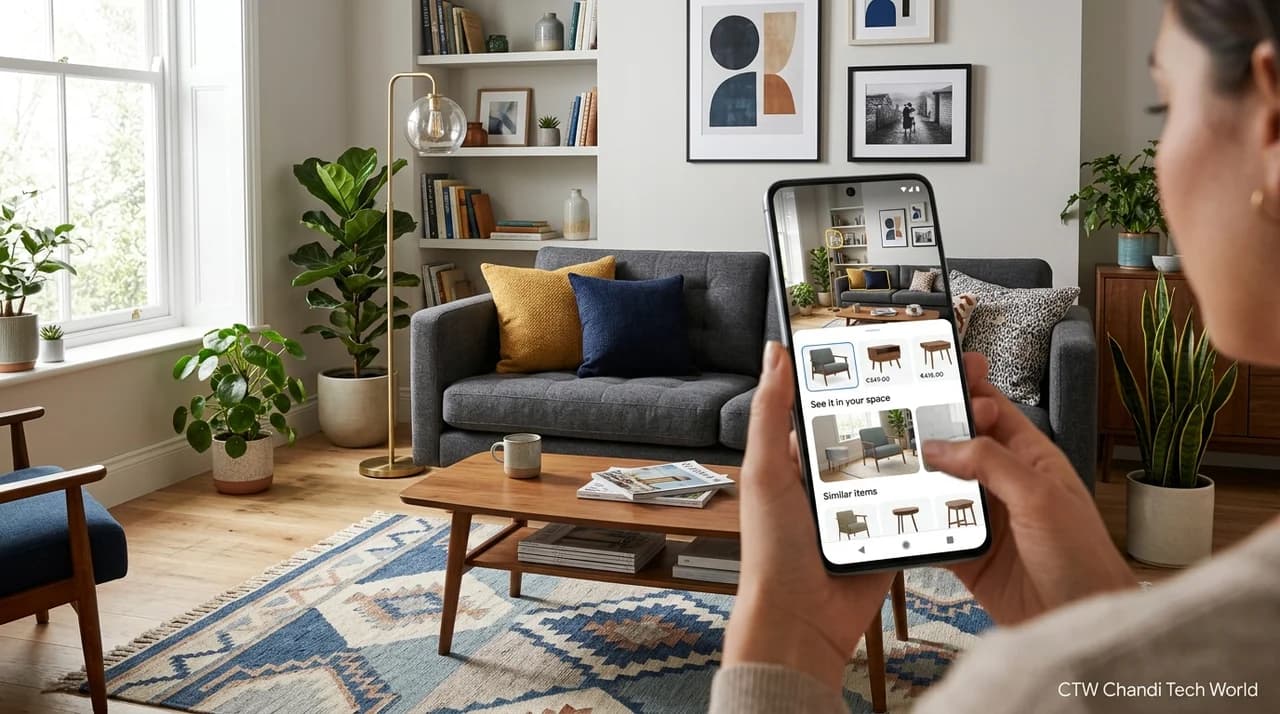
5 Ways to Use Google Search to Upgrade Your Home Decor
Planning a home makeover can be exciting, but choosing furniture, matching colors, and finding affordable decorations can quickly become overwhelming. Google Search offers several tools that can help you move from collecting inspiration to making practical decorating decisions.
In a post published on August 25, 2026, Google highlighted five ways its search tools can help people visualize furniture, discover similar products, explore DIY projects, and compare prices.
Here is how to use these features to plan your next home decor project, whether you are refreshing a living room, decorating a bedroom, or making the most of a small apartment.
1. Visualize Furniture in Your Room With AI Mode
One of the biggest challenges when buying furniture online is imagining how a product will look in your actual space. A sofa might look perfect in a product photo but feel too large, too dark, or out of place in your living room.
Google says AI Mode in Search can help users explore furniture ideas using a photograph of their room.
Start by uploading a room photo and describing the space. Include practical measurements, such as the width of the wall where you want to place a sofa or the available space beside a bed.
For example, you could ask:
"Based on this living room, recommend a sofa for an 84-inch-wide wall. Show me how an emerald-green velvet sofa might look in this space."
You can then refine your request by exploring different colors, shapes, and furniture styles.
This approach can help you narrow down your options before spending money. However, an AI-generated visualization is an approximation, not a guarantee that a real product will fit. Always check the manufacturer's dimensions and measure doorways, walkways, and surrounding furniture before buying.
2. Use Google Lens to Find Similar Decor
Sometimes you discover a decorative item in a store, at a flea market, or in a friend's home and want to find something similar.
Google Lens can help identify objects from photographs and surface visually similar products or relevant information.
To try it:
Open the Google app on a compatible Android or iOS device.
Use Google Lens to take a picture of the item or select an existing image.
Review the visual matches and available product information.
Compare dimensions, materials, prices, and seller details before making a purchase.
This can be particularly helpful when looking for vintage-style rugs, wooden coffee tables, lamps, wall art, and other distinctive decorative pieces.
Remember that visually similar products are not necessarily identical in quality or construction. Check the product description and seller information instead of relying on appearance alone.
3. Discover Decor Products With Circle to Search
You may see a lamp in a video, patterned wallpaper in a social media post, or an interesting chair in an online article without knowing its name or manufacturer.
Circle to Search can help you explore items on your screen without manually typing a description into a separate search.
On a compatible device, activate Circle to Search using the supported gesture or control, select the object you want to investigate, and review the matching results.
For example, if you spot a patterned wallpaper in a home makeover video, you can select the pattern to find similar designs or learn more about the product.
This can make inspiration easier to act on because you do not need to know the exact product name before starting your search.
Availability depends on the device and supported software. If Circle to Search is not available on your phone, Google Lens or a regular image search can provide an alternative.
4. Get DIY Guidance With Search Live
Finding a set of floating shelves or a decorative wall fixture is only the first step. Installing it safely and correctly can be a different challenge.
Google's Search Live feature can provide interactive guidance for supported searches. Users can open the Google app, select the Live option when available, ask questions aloud, and enable camera input to provide visual context.
For example, if you are planning to install floating shelves, you could ask what tools are typically needed, how to identify the appropriate wall anchors, or what measurements to check before starting.
Seeing the work area can help make the conversation more specific than a general search query.
However, AI guidance should not replace product instructions or professional advice for work involving electrical wiring, structural changes, gas lines, or other safety-critical tasks. Confirm important steps before drilling into walls or installing heavy objects.
5. Compare Prices Before Buying Home Decor
Furniture and decorative accessories can become expensive when purchased together. Comparing prices before buying can help you stay within budget.
Google Search provides shopping listings that can help you compare available products and sellers. For supported listings, Google also offers price-history information and price tracking.
Before purchasing a lamp, rug, chair, or wallpaper, consider these steps:
Compare prices across different sellers.
Check product dimensions, materials, and delivery costs.
Review the item's price history when available.
Use the price-tracking option if it is offered and you are willing to wait for a potential price change.
Check return policies and delivery estimates before placing an order.
A lower listed price does not always mean a better deal. Shipping charges, product quality, warranties, and return conditions can affect the overall value.
Price history can also help you judge whether a current listing is relatively high or low compared with its previous prices. It does not guarantee that the price will fall further.
How to Turn Search Results Into a Practical Home Makeover
The best results come from combining these tools with a clear plan.
First, decide how you want a room to feel. You might prefer a calm bedroom with neutral colors, a bright living room, or a compact workspace with practical storage.
Next, collect a few visual references and use AI Mode to explore furniture options. Use Lens or Circle to Search to investigate products you discover along the way. If you plan to install or build something yourself, research the process before buying materials. Finally, compare prices and measure your space before committing to a purchase.
Keep a simple record of your preferred colors, dimensions, product links, and budget. This can function as a basic mood board without requiring a separate design application.
The goal is not to buy everything that looks appealing. It is to choose items that work together, fit your space, and meet your needs.
The Bottom Line
Google Search can do more than provide decorating articles and inspiration photos. Its newer tools can help users visualize furniture in a room, identify similar products, explore decor found online, get interactive DIY guidance, and compare prices.
These features can make home decorating more practical, especially when you use them to answer specific questions before making a purchase.
Still, AI visualizations are not precise room measurements, shopping matches require careful comparison, and interactive guidance should be verified for safety. Use Search to explore possibilities, then confirm the details that matter before spending money or starting a project.
For more artificial intelligence and technology updates, visit CTW's AI section and latest technology stories.
Source: Google's official guide: 5 ways to use Google Search for home decor inspiration and projects.
Originally reported by AI.