Gradient Weather vs. Breezy Weather: Which Android App Is Better?
Your phone's weather app can do more than show the current temperature. The right app can help you track approaching storms, plan outdoor activities, monitor air quality, and get alerts before conditions change.
While many Android users stick with the weather app that came preinstalled on their phones, third-party alternatives offer different approaches to forecasts and customization. Two worth considering are Gradient Weather and Breezy Weather.
Both provide detailed weather information and customizable interfaces, but their priorities are different. Gradient Weather focuses on radar maps, polished design, and flexible weather alerts. Breezy Weather takes an open-source approach, offering extensive weather data, numerous forecast providers, and privacy-conscious features without a paid tier.
The better choice depends on whether you value advanced alerts, control over your data sources, or a free alternative to mainstream weather apps.
Gradient Weather: Better Radar and Custom Alerts
Gradient Weather is designed for people who want weather information to be both attractive and practical. Its interface uses changing colors and clean layouts to make current conditions and important details easy to understand.
Weather maps and radar
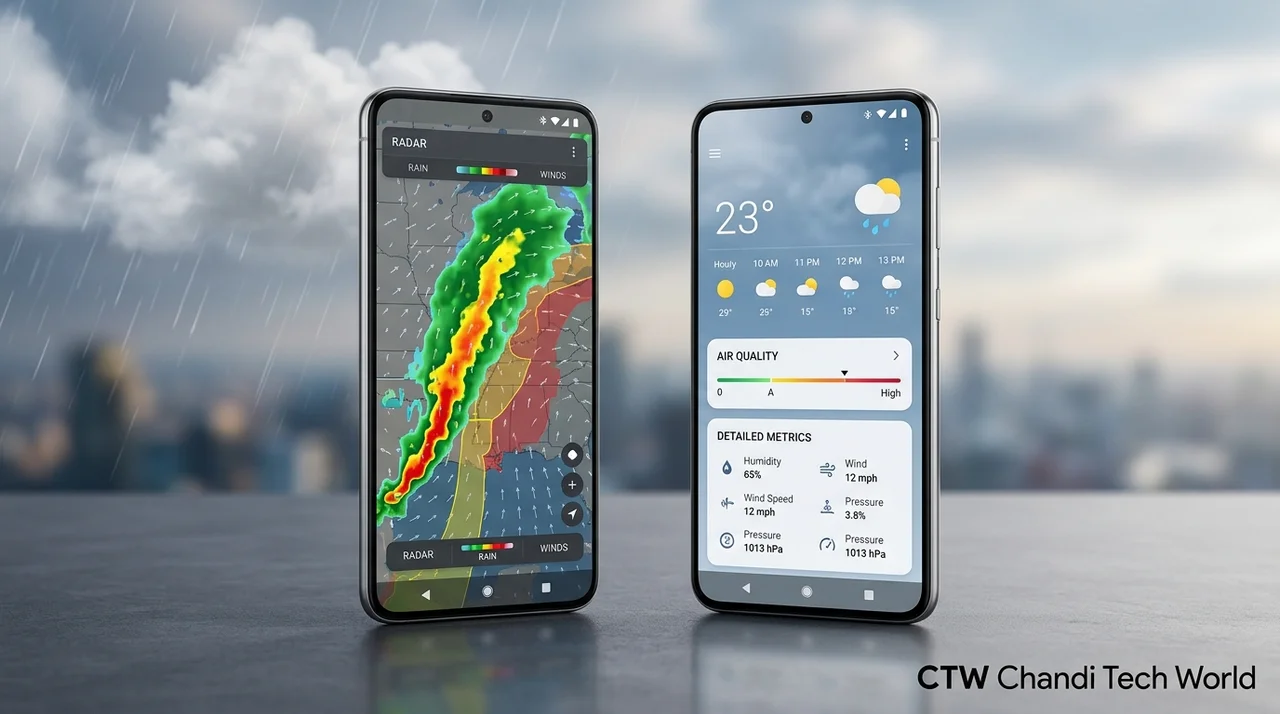
One of Gradient Weather's biggest advantages is its map experience. Users can explore weather conditions through radar and other map layers, including information about temperature, wind, cloud cover, and atmospheric pressure.
Radar can be especially useful when rain or storms are approaching. Instead of relying only on a forecast that says precipitation is likely, users can inspect how weather systems are moving in supported areas.
Map and radar availability depends on the data and coverage provided by the app, so users should check whether the relevant features work well in their region.
Detailed weather alerts
Gradient Weather also offers customizable notifications based on weather conditions. Depending on feature availability and the plan you use, these may include alerts for rain, frost, temperature changes, air quality, and other conditions.
This level of customization can be useful for people who spend time outdoors, travel frequently, or need to plan around changing weather.
Some advanced alert options may be limited on the free plan, and certain alert types depend on regional data availability.
A polished interface and flexible widgets
Gradient Weather puts considerable emphasis on presentation. Its widgets can display weather information directly on the Android home screen, while color-coded alerts help users recognize important conditions quickly.
The app also combines multiple weather data sources rather than requiring users to select one provider manually. That can make setup simpler for people who want a straightforward experience without spending time comparing forecast providers.
The trade-off is that users who want detailed control over which weather service supplies their data may prefer Breezy Weather.
Best for: Android users who want radar maps, detailed weather notifications, and an attractive interface with relatively little setup.
Official listing: Gradient Weather on Google Play.
Breezy Weather: Free, Open Source, and Privacy-Focused
Breezy Weather takes a different approach. It is a free, open-source Android weather app that provides a large amount of information while allowing users to customize what appears on their screen.
Its design is clean, but its main attraction is the combination of flexibility, data-source choice, and privacy-conscious development.
Choose from numerous weather sources
One of Breezy Weather's most useful features is its support for more than 50 weather data sources, according to the project's official repository.
The available choices can include services such as Open-Meteo, AccuWeather, and other providers, depending on the app version and distribution you install.
This flexibility is particularly useful if one provider delivers better coverage or more suitable forecasts for your location. You can explore available sources rather than relying entirely on the app's default selection.
However, having more providers does not automatically make a forecast more accurate. Results depend on the provider, location, forecast period, and weather conditions.
Detailed forecasts and weather information
Breezy Weather can display hourly and daily forecasts, precipitation, wind, humidity, UV index, visibility, air quality, pollen, and other measurements, depending on the selected source.
It also includes charts and customizable home-screen widgets. Users can decide which information matters most to them instead of relying on a fixed layout.
Despite the extensive information available, the interface aims to keep key details accessible without overwhelming the main screen.
An open-source and privacy-conscious design
Breezy Weather's source code is publicly available, allowing developers and interested users to inspect how the project is built.
The project states that it does not collect personal data and does not include trackers or automatic crash reporters. Current location is optional rather than enabled by default.
As with any weather app, privacy also depends on the selected weather provider. If you share your location with an external service to obtain forecasts, that provider's own privacy practices matter too.
The biggest drawback: no built-in radar
Breezy Weather's main disadvantage for radar users is that it does not currently offer the same built-in radar experience as Gradient Weather.
The project's maintainers have explained that radar integration is complicated by the availability of suitable data sources and the project's open-source goals. Users who rely on detailed precipitation maps may therefore need a separate radar service.
Another consideration is installation. Breezy Weather is not distributed through Google Play, so users generally need to obtain it through an official project-supported source, such as GitHub or a compatible F-Droid distribution.
Best for: People who want a free, open-source weather app, extensive data-source options, detailed weather metrics, and a privacy-conscious design.
Official project and downloads: Breezy Weather on GitHub.
Gradient Weather vs. Breezy Weather: Key Differences
| Feature | Gradient Weather | Breezy Weather |
|---|---|---|
| Price | Free tier and paid options | Free |
| Open source | No | Yes |
| Weather radar | Available | No built-in radar |
| Weather alerts | Extensive customization; some limits may apply | More basic alert options |
| Weather sources | Combines multiple sources | Supports 50+ sources, with manual selection |
| Widgets | Customizable | Multiple widgets and display options |
| Privacy approach | Check the app's current data disclosures | Project states no personal data collection or trackers |
| Installation | Google Play | GitHub or supported alternative distribution |
Feature availability and pricing can change, so check each app's current listing or release notes before installing.
Which App Offers More Accurate Forecasts?
Neither app should automatically be considered more accurate in every location.
Gradient Weather combines multiple sources to present weather information, while Breezy Weather allows users to select from supported providers. Both approaches have advantages, but actual forecast performance depends on the quality and regional coverage of the underlying data.
For example, a provider with strong local observations may perform better for short-term forecasts in one region, while another service may be more useful for longer-range predictions elsewhere.
If accuracy is your main priority, compare both apps against local observations and official weather warnings over time. Do not judge forecast quality based on interface design, the number of supported sources, or a single successful prediction.
For severe weather, use official alerts from your national or local meteorological authority as an additional source of information.
Which Android Weather App Should You Choose?
The decision becomes simpler when you focus on the features you will actually use.
Choose Gradient Weather if you regularly check radar maps, want detailed notifications, and prefer an app that combines data sources with minimal manual configuration. Its paid features may be worthwhile if advanced alerts and radar are important to your routine.
Choose Breezy Weather if you want a free, open-source alternative with a wide range of weather measurements and control over your data provider. It is particularly appealing to users who prefer to avoid ads, trackers, and subscription-based features.
You do not need to switch away from a built-in weather app just because alternatives exist. If your current app gives you dependable forecasts and the features you need, changing may offer little practical benefit.
The Verdict
Gradient Weather and Breezy Weather are both compelling Android weather apps, but they serve different priorities.
Gradient Weather has the advantage for users who value radar, advanced weather notifications, and a polished experience. Breezy Weather is the stronger fit for people who want a free, open-source app with extensive weather information and flexible data-source selection.
There is no universal winner. If radar and custom alerts are essential, Gradient Weather is the more suitable choice. If privacy-conscious design, openness, and avoiding paid features matter more, Breezy Weather deserves a closer look.
For more Android app recommendations and mobile technology coverage, visit Chandi Tech World and explore our gadgets coverage.
Originally reported by Android Authority.